


Conditional Email Routing for Gravity Forms

Your forms are about
to get a lot smarter

Your forms are about
to get a lot smarter

Your forms are
about to get
a lot smarter

SmartRoute analyzes each user’s path through your Gravity Forms and automatically sends notifications to exactly the right contact — simple to set up, powerful in action.

Overview
CSV files
Routing rules
Activity log
Stats
Overview
A
Import CSV
766 rows imported
B
Map columns
Dept, Category…
C
Define rules
9 rules active
Active — routing enabled

FEATURES

Everything you need for smart routing

Connect your CSV contact list to Gravity Forms and let SmartRoute handle the rest — automatically, reliably, every time.

CSV-based routing

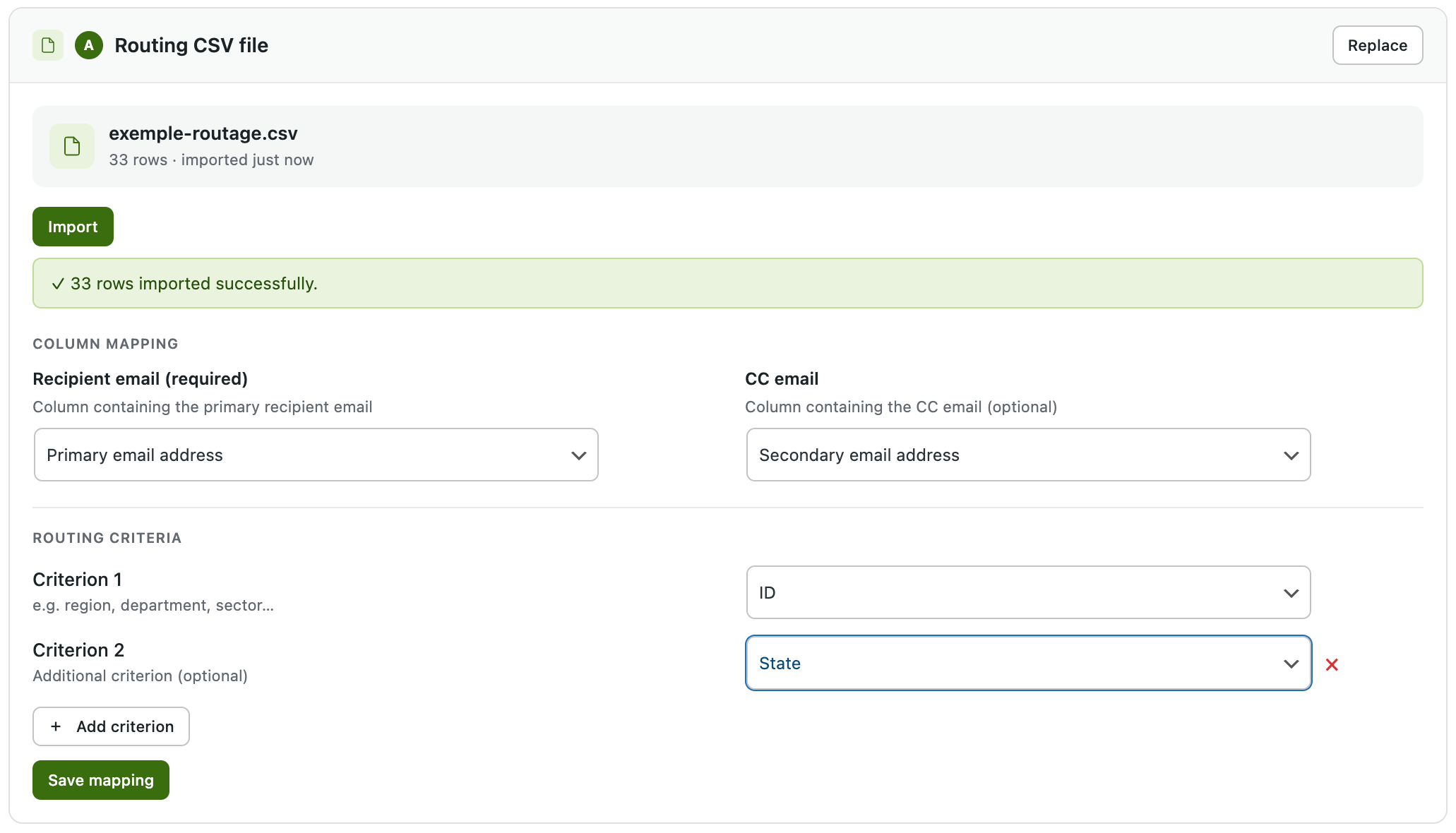
Upload your contact list as a CSV and map columns to routing criteria. No database setup needed.
smartroute_csv
icon-smart-rules

Smart rules engine

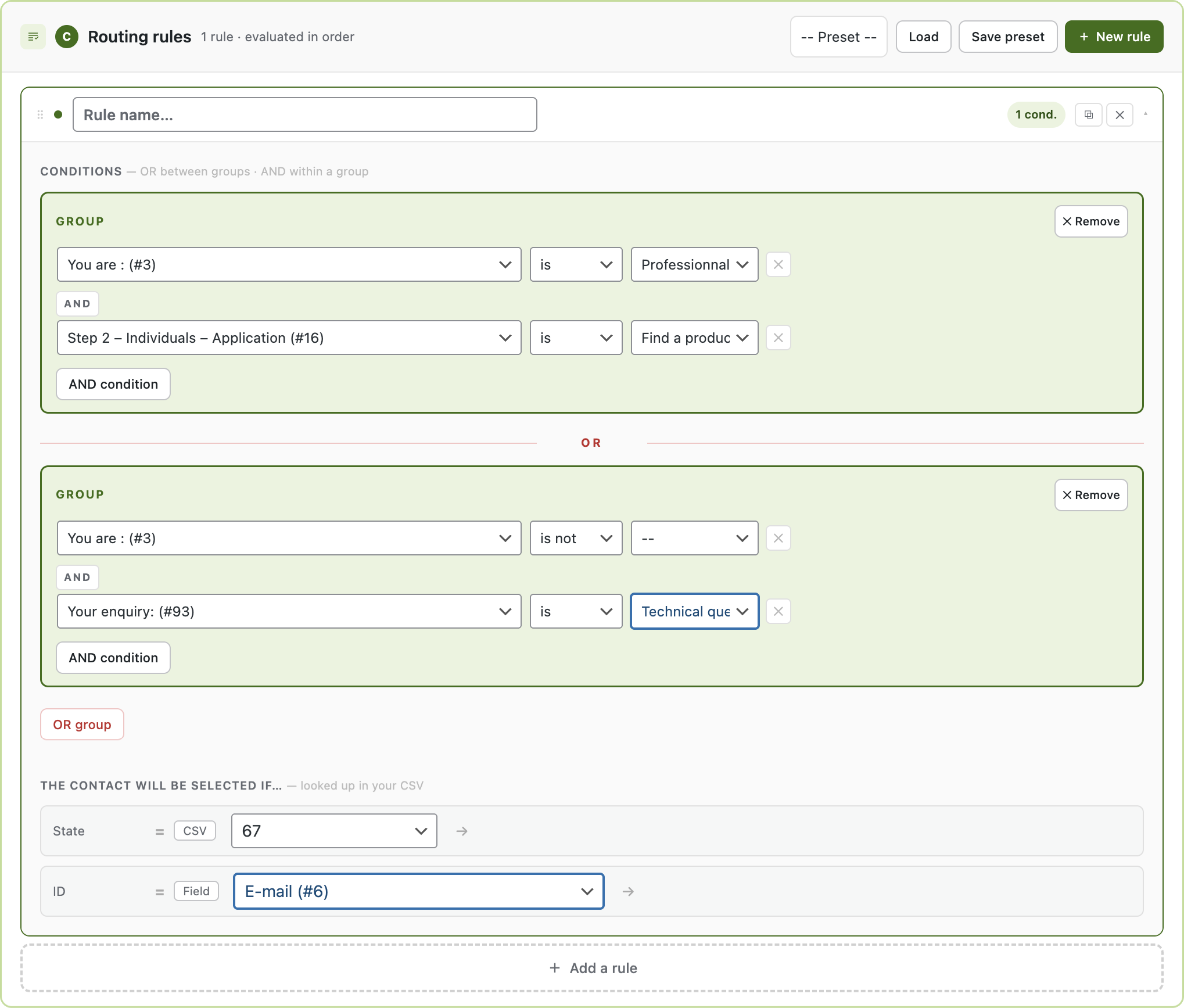
Build routing rules with AND/OR conditions based on any form field. Supports "contains any of" for multi-value matching.

icon-email-routing

Automatic email routing

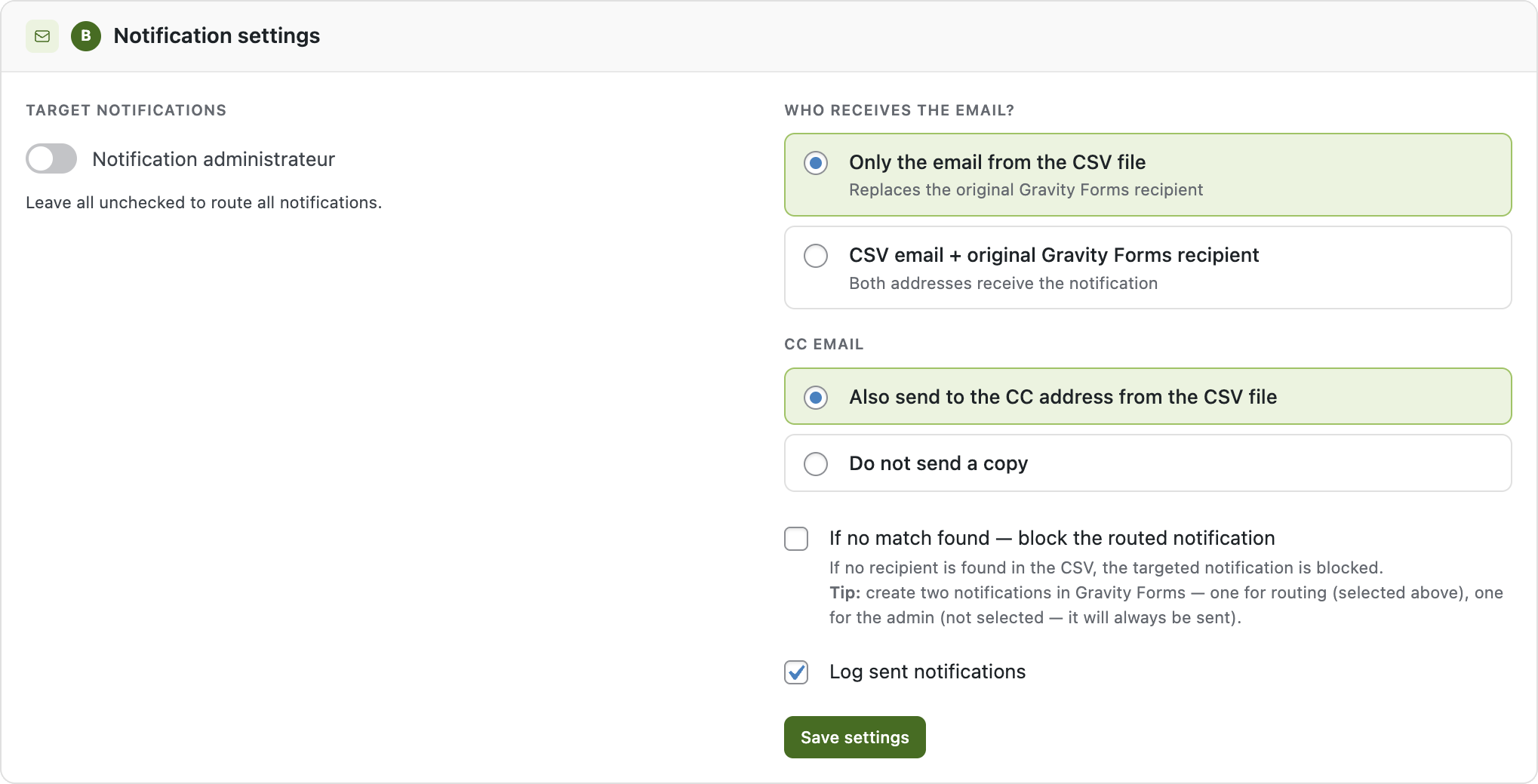
Intercepts Gravity Forms notifications and rewrites the recipient based on your rules — completely transparent.

smartroute_not_settings
icon-activity-log

Activity log

Track every routed notification with entry ID, form name, recipient and CC. Export to CSV anytime.

icon-analytics

Analytics dashboard

Monitor match rates, top recipients, and routing volume over time with visual charts.

icon-import-export

Import / export rules

Save your routing configuration as JSON and restore it on any site in seconds.

HOW IT WORKS

Up and running in 3 steps

1

Import your CSV

Upload your contact list with department, region, or any criteria column. SmartRoute detects columns automatically.

2

Map & configure rules

Map CSV columns to form fields and define routing conditions. Use AND/OR logic for complex scenarios.

3

Sit back and relax

SmartRoute automatically routes every form submission to the right contact. Check the activity log anytime.

PRICING

Simple, transparent pricing

Start free, upgrade when you need more power.

Free

$ 0
/ year
Forever free, no credit card
1 form
2 routing rules
CSV import
Activity log

Single site

$ 99 
/ year
1 WordPress site
Unlimited forms
Unlimited rules
Analytics dashboard
Export rules (JSON)
Priority support
Most popular

Unlimited

$ 199 
/ year
Unlimited WordPress sites
Everything in Single
Unlimited sites
Multisite support
Priority support

Extensive Documentation

Everything you need to install, configure and master SmartRoute — from your first routing rule to advanced CSV setups and troubleshooting guides.

Helpful Support

We're here to help. Browse our FAQ for quick answers or open a support ticket — Premium users get direct access to the developer with fast response times.

Professional Features

Need unlimited rules, advanced operators, a stats dashboard or agency-ready import/export? Check out our <strong>Premium version</strong> and unlock the full power of SmartRoute.

FAQ

Frequently asked questions

Do I need to know how to code?

Not at all. SmartRoute has a visual interface — upload your CSV, map columns, and define rules with a few clicks.

Does it work with any Gravity Forms notification?

Yes. SmartRoute intercepts any GF notification and routes it to the right recipient. Your form setup stays untouched.

What happens if no rule matches?

The original Gravity Forms notification is sent normally. You can also configure it to block the notification if no match is found.

What format should my CSV be in?

Any CSV with semicolon or comma separator. SmartRoute auto-detects the separator and columns. No limit on rows or columns.

Can I use it on multiple sites?

The Single plan covers 1 site. The Agency plan gives you unlimited sites — perfect for agencies managing multiple client WordPress installations.

Is there a refund policy?

Yes — 14-day money-back guarantee, no questions asked. If SmartRoute doesn't work for your use case, we'll refund you immediately.

v1.0.0 · wp-smartroute.com